Performance Engineering
Reducing Image Memory Pressure in a High-Volume iOS Content Engine
Case study overview
- Role
- iOS platform engineer investigating and reducing decoded-image memory pressure in the shared image-loading framework.
- Context
- Image-heavy generated applications reused one pipeline across thumbnails, cards, grids, carousels, headers, and full content pages.
- Challenge
- Avoid decoding original-resolution images for small views without breaking cache correctness, image transformations, cancellation, or existing callers.
- Contribution
- Added target-pixel APIs, ImageIO thumbnail decoding, size-aware rendition keys, disk-hit decoding, transformation compatibility, and a controlled profiling mode.
- Outcome
- An incremental display-sized path that preserved original bytes and observed 154.41 MiB versus 481.69 MiB persistent heap and anonymous VM in one controlled trace pair.
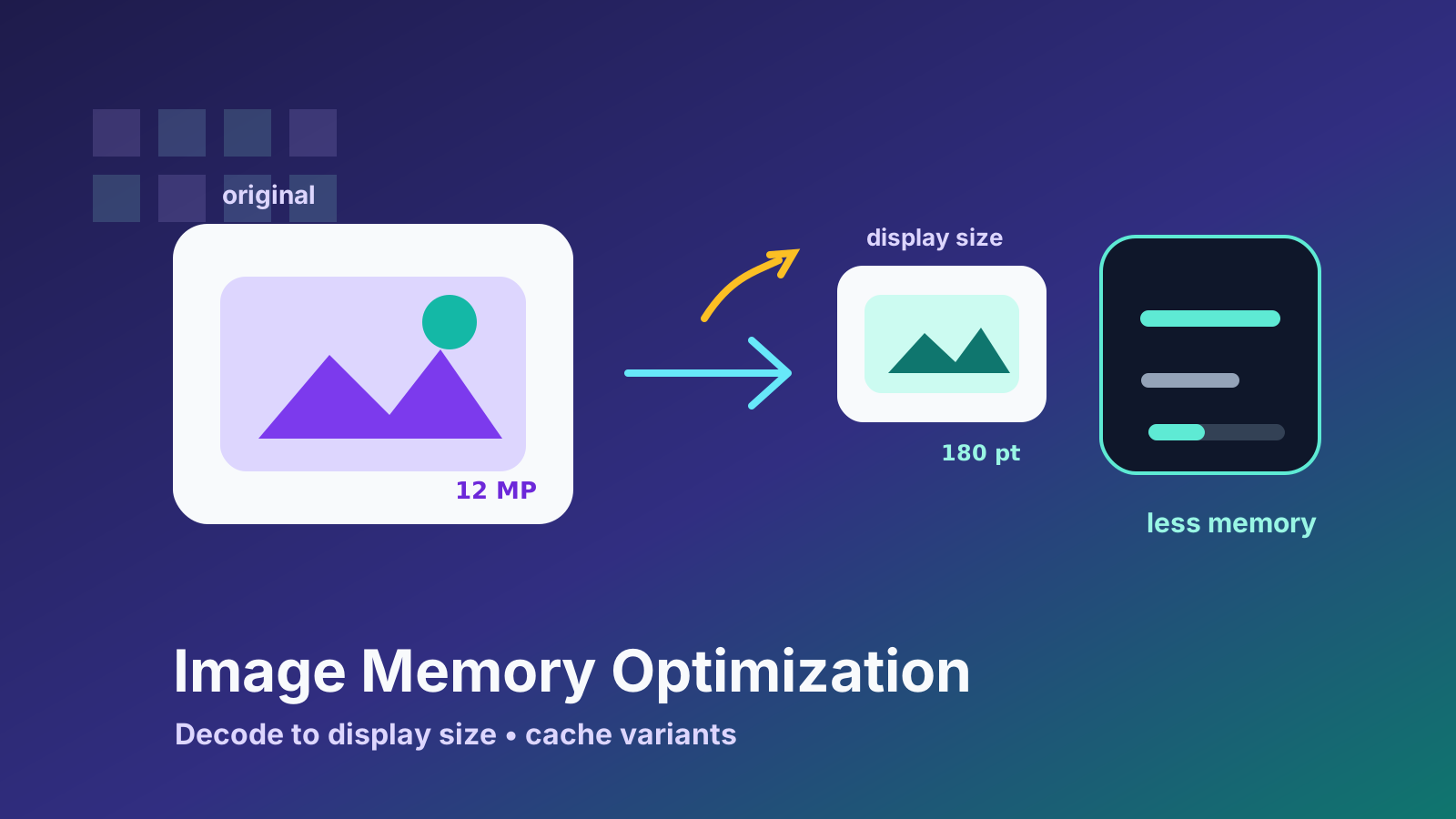
Image performance problems often hide in plain sight.
The UI looks normal. Images load. Scrolling works at first. But memory keeps growing, the app becomes heavier, and eventually the system starts to push back. On iOS, that can mean stutters, reloads, or crashes under memory pressure.
I worked on reducing image memory usage in an iOS content engine by changing how downloaded images were decoded for display. The core idea was simple: if the UI needs a small image, the app should not decode a huge image into memory just to draw it inside a small cell.
The implementation had to preserve the existing image-loading API while giving image-heavy screens a precise way to state what they actually needed.
The Context
GoodBarber apps display a lot of remote content: articles, videos, podcasts, galleries, configurable content sections, lists, and home screens. Many of those interfaces are image-heavy.
In a content engine, images are everywhere:
- thumbnails in lists
- cards on home screens
- header images
- media previews
- grid items
- carousel items
- detail pages
The same image pipeline has to support many layouts and many image sizes. A remote image might be displayed as a small thumbnail in one place and a larger image somewhere else.
That makes image caching and decoding strategy important.
The Problem
The issue was not downloading images. The issue was decoded memory.
A compressed JPEG or PNG file on disk may be relatively small. But once decoded for display, it becomes raw pixel data in memory. The memory cost depends on pixel dimensions, not on the visual size of the image in the UI.
If the app downloads a large image and decodes it at full resolution, then displays it in a small 60-point cell, most of those decoded pixels are wasted. The user cannot see them, but the app still pays the memory cost.
In a scrolling list with many images, that cost adds up quickly.
The engine needed a way to decode images closer to their actual display size.
Decode to Display Size
The optimization I worked on introduced target-size decoding.
Instead of always decoding the original image dimensions, the caller can provide a target pixel size derived from the final display size and screen scale. The image pipeline can then use ImageIO thumbnail generation to decode a version that is much closer to what UIKit will draw.
This changes the memory profile significantly:
- the original image can still be stored on disk
- the displayed image is decoded at an appropriate size
- memory cache entries can be specific to target dimensions
- small cells no longer keep full-resolution decoded images in memory
The important distinction is between original data and display data.
The original downloaded bytes are still useful. They can be cached on disk, reused, or decoded differently later. But the image placed into a small cell does not need to be full resolution in memory.
The implementation uses ImageIO rather than first creating another full-size bitmap and resizing it afterward. The target dimensions are supplied in pixels, normally from the view’s point size multiplied by screen scale. CGImageSourceCreateThumbnailAtIndex decodes a transformed thumbnail whose maximum pixel dimension matches that request. If the source already fits, the normal decode path remains in place because there is nothing useful to downsample.
Animated images stay on the existing path. A single target-sized bitmap cannot preserve an animated asset’s frame semantics, so the optimization deliberately avoids treating GIF data like a static JPEG or PNG.

Cache Keys Matter
Changing the decoded size creates a caching problem.
If the same URL is displayed at different sizes, the cache cannot treat every decoded result as identical. A 60-point thumbnail and a 300-point image may come from the same source URL, but they are not the same in memory.
That means the cache key needs to include the target size.
Without size-aware cache keys, one screen might accidentally receive an image decoded for another screen. That could cause blurry images, wasted memory, or unpredictable reuse.
So the optimization was not only about decoding. It also required making the cache model aware of display size.
The rendition key adds a normalized Thumbnail(WxH) suffix to the original cache key. Memory and disk lookups use that key consistently, so a thumbnail cannot silently replace the legacy full-resolution entry. On a disk hit, the stored encoded data can be decoded for the requested target. On a download, the image is downsampled before it reaches the cache or caller.
The pipeline also preserves existing transformation behavior. A delegate transformation still receives the original image. The transformed result is then scaled to the target dimensions, while an untransformed image can take the ImageIO path directly from its encoded bytes. This ordering avoids changing crop or processing semantics merely because a caller opted into lower memory use.
Keeping the API Compatible
One design goal was to avoid forcing every existing caller to change immediately.
In a mature engine, image loading is used in many places. A performance improvement is easier to adopt if it can be introduced incrementally. Callers that know the display size can opt into target-size decoding. Callers that do not can continue using the existing behavior.
That made the change safer.
It also made adoption more practical. The most image-heavy screens could be optimized first, where the memory impact was highest.
The view integration keeps the existing cancellation contract. Reused image views cancel their previous operation, and completion checks the combined operation before assigning a result. Target-sized decoding therefore changes the representation being delivered, not the protection against an older request overwriting a newly reused cell.
Comparing the Right Things
Performance work needs a controlled comparison. Looking at a memory graph after casual scrolling does not tell you much: the network cache, image sizes, and scroll history all vary.
I added a demonstration path that can load the same remote images in either legacy full-resolution mode or display-sized mode. That makes it possible to profile the same list, image set, and scrolling behavior with Instruments while changing only the decoding strategy.
The useful signals are the decoded image dimensions, the memory footprint after a repeatable scroll sequence, and whether cells receive a suitably sharp rendition at their target size. The result will vary with source images and device class, so the traces below are evidence from one comparison rather than a generic performance guarantee.
| Comparison detail | Recorded setup |
|---|---|
| Workload | Same demo list, remote image set, and repeatable scrolling path |
| Variable changed | Full-resolution decoding versus an explicit target pixel size |
| Trace duration | Approximately 20 seconds per run |
| Instrument | Allocations |
| Reported metric | Persistent All Heap & Anonymous VM at capture time |
| Interpretation | One run per mode; useful evidence, not a universal benchmark |
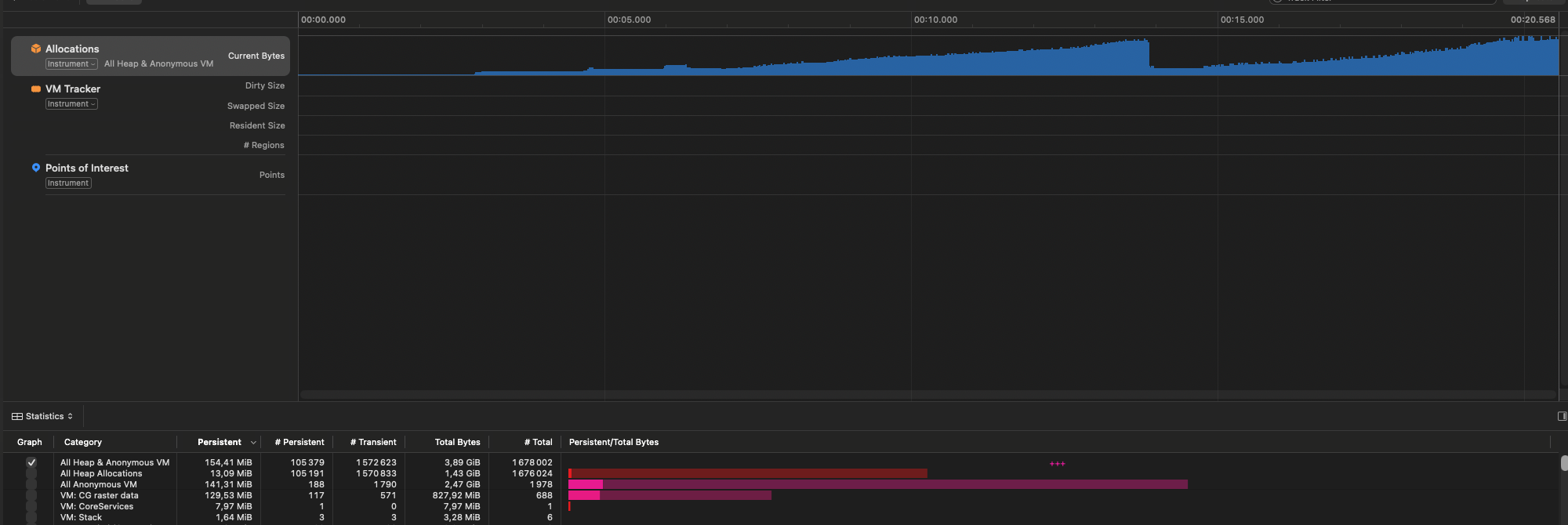
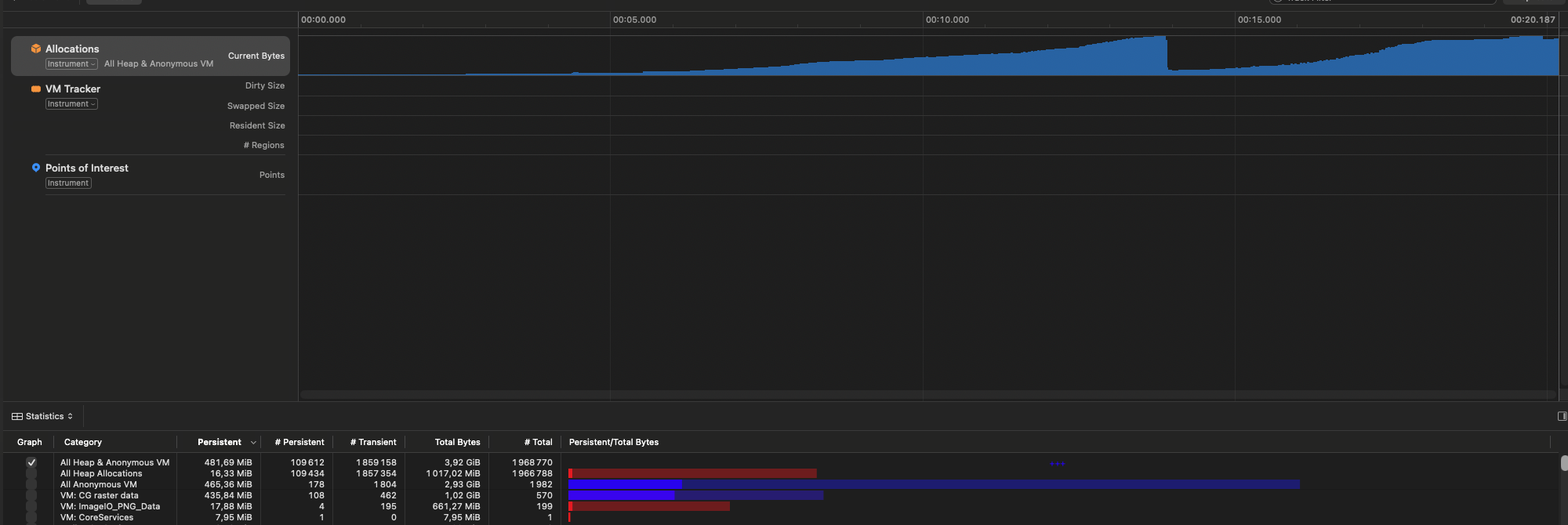
Single-run comparison. Across these approximately 20-second traces, persistent All Heap & Anonymous VM measured 154.41 MiB with display-sized decoding and 481.69 MiB with full-resolution decoding. That is a 67.9% lower observed value in this trace pair, not a universal reduction claim.
This made the change easy to reason about and safe to review: full-resolution decoding remains the baseline, and target-size decoding is an explicit alternative for callers that know their rendering bounds.
Trade-Offs
There are trade-offs with target-size decoding.
If the target size is wrong, the image may be decoded too small and look soft. If callers request many nearly identical dimensions, the cache may accumulate unnecessary variants. Animated images do not use this path, and transformed images may require bitmap scaling when their transformed pixels no longer match the original encoded data. If callers do not know the final display size, they may not be able to benefit immediately.
So the API needs to make the optimization explicit. It should be used where the display size is known and stable enough to be meaningful.
That is why I prefer opt-in performance APIs for this kind of work. They let the engine improve memory usage without creating hidden visual regressions in screens that were not ready for the new behavior.
What Changed in the Pipeline
The important change was not a new cache or a visual compromise. It was allowing the image pipeline to retain original data on disk while decoding the in-memory representation for the context that requested it. That is a practical iOS performance pattern: reduce unnecessary pixel work, keep the API incremental, and verify the result with a repeatable workload.
Continue reading
Related engineering work
Platform Architecture
Evolving Configurable Content Sections into a Reusable Layout Engine
The end-to-end architecture connecting typed content configurations, reusable content views, compositional layouts, legacy content sections, and Native Ads in a white-label iOS engine.
WebKit Infrastructure
Modernizing Plugin WebViews with a Local Assets Server
Reworking plugin WebView infrastructure around local asset delivery, a loopback HTTP server, and controlled CORS behavior in a white-label iOS engine.